This blog was originally posted in the OpenVoiceOS blog
Home Assistant handles automation. OVOS handles voice. Neither tries to be the other. That division of responsibility is why the combination works: HA’s device integrations and automation engine paired with OVOS’s flexible, fully local voice stack.
This post covers the three integration layers: Wyoming bridges for HA’s voice pipeline, ovos-persona-server as a conversational agent, and HiveMind for surfacing OVOS devices as native HA entities.
Wyoming Bridges: OVOS Voice Plugins in Home Assistant
The Wyoming protocol is HA’s standard interface for external ASR, TTS, and wakeword services. We built Wyoming bridges that expose any OVOS plugin over that protocol, so HA gains access to every plugin in the OVOS ecosystem instead of a curated shortlist.
- Wyoming OVOS ASR: Convert spoken commands into text for Home Assistant to understand.
- Wyoming OVOS TTS: Enable Home Assistant to speak responses using OVOS’s diverse voice options.
- Wyoming OVOS Wakeword: Integrate custom wakewords, allowing your Home Assistant setup to respond only when it hears your chosen trigger phrase.
The OVOS Wyoming Docker project packages these services so they are one docker compose up away.
Multi-language TTS from publicly funded language projects
Accessibility includes language accessibility. This integration brings high-quality, publicly funded voices from projects like ILENIA to a wider audience. Home Assistant users get natural-sounding voices for languages like Catalan and Galician, straight from the projects that built them.
- Matxa TTS for Catalan: The
ovos-tts-plugin-matxa-multispeaker-catprovides multi-speaker text-to-speech capabilities for the Catalan language. - NosTTS for Galician: The
ovos-tts-plugin-nosoffers text-to-speech in Galician.

Using OVOS as a Conversational Agent for Home Assistant
Want to take it a step further? You can set up OVOS as a full-fledged conversational agent for Home Assistant using the Ollama integration.
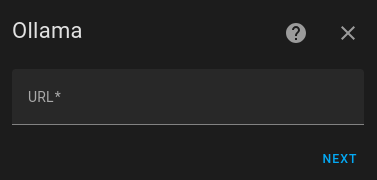
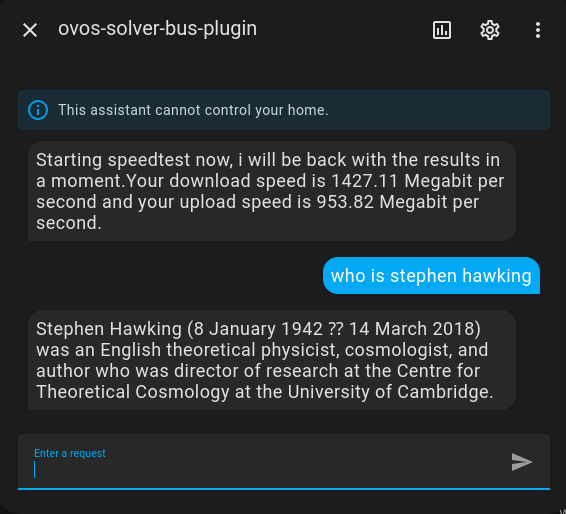
In this setup, Home Assistant passes the user’s text to the ovos-persona-server. OVOS works out the intent and returns the answer for Home Assistant to speak. And because ovos-persona-server exposes Ollama-compatible endpoints, the same server plugs into any app that speaks the Ollama or OpenAI APIs, and not only Home Assistant.
OVOS with the Voice PE
The Home Assistant Voice Preview Edition is a dedicated hardware satellite for HA’s voice pipeline. It works with all the Wyoming services described above: point it at any running wyoming-ovos-stt, wyoming-ovos-tts, or wyoming-ovos-wakeword instance.
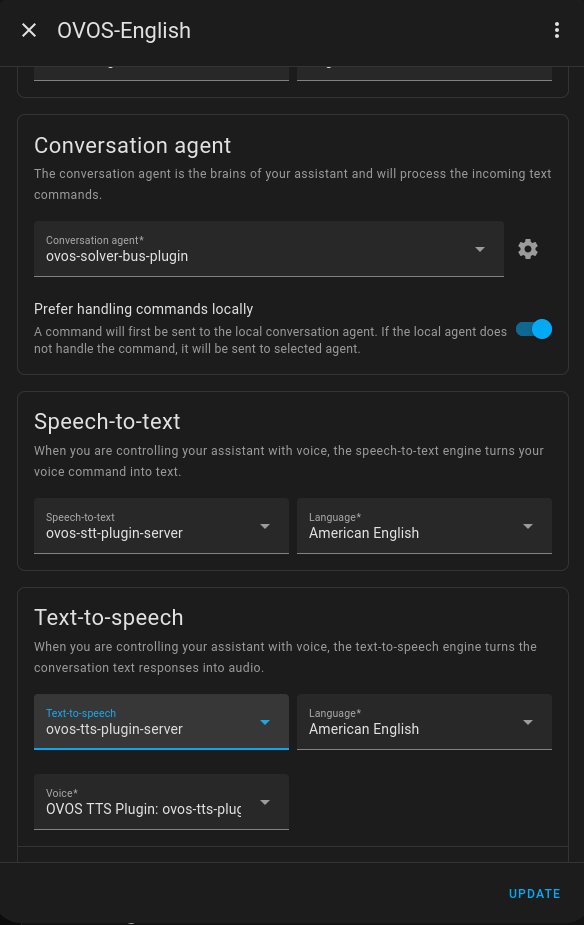
Surfacing OVOS Devices as Home Assistant Entities with HiveMind
If you have dedicated OVOS devices, the HiveMind HomeAssistant integration makes them show up as native entities in Home Assistant: one unified control panel for the whole fleet.
Setting up HiveMind Integration:
To integrate your OVOS devices via HiveMind, you’ll typically add the HiveMind integration in Home Assistant. This involves providing connection details such as a name for the integration, an access_key, password, site_id, host (IP address or hostname of your HiveMind server), and the port (defaulting to 5678). You may also have options to allow_self_signed certificates or enable legacy_audio depending on your setup.

Exposed Controls for OVOS Devices:
Once integrated, HiveMind exposes a comprehensive set of controls for your OVOS devices directly within Home Assistant. This allows you to manage various aspects of your OVOS device from the Home Assistant UI, including:
- Changing the
Listening Mode(e.g., wakeword, always listening) Microphone MutetoggleOCP Playerstatus and controls- Actions like
Reboot Device,Restart OVOS, andShutdown Device - Toggling
Sleep ModeandSSH Service - Manually
Start ListeningorStoplistening - Controlling volume level

Notifications Integration:
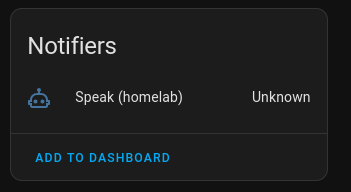
HiveMind also enables your OVOS devices to function as notification targets within Home Assistant. This means you can configure Home Assistant automations to send spoken notifications directly to your OVOS devices, allowing them to “speak” alerts, reminders, or any other information you configure. This is exposed as a “Speak” notifier entity in Home Assistant.
Media Player and Music Assistant Integration:
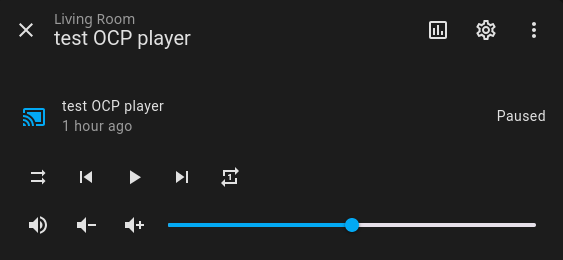
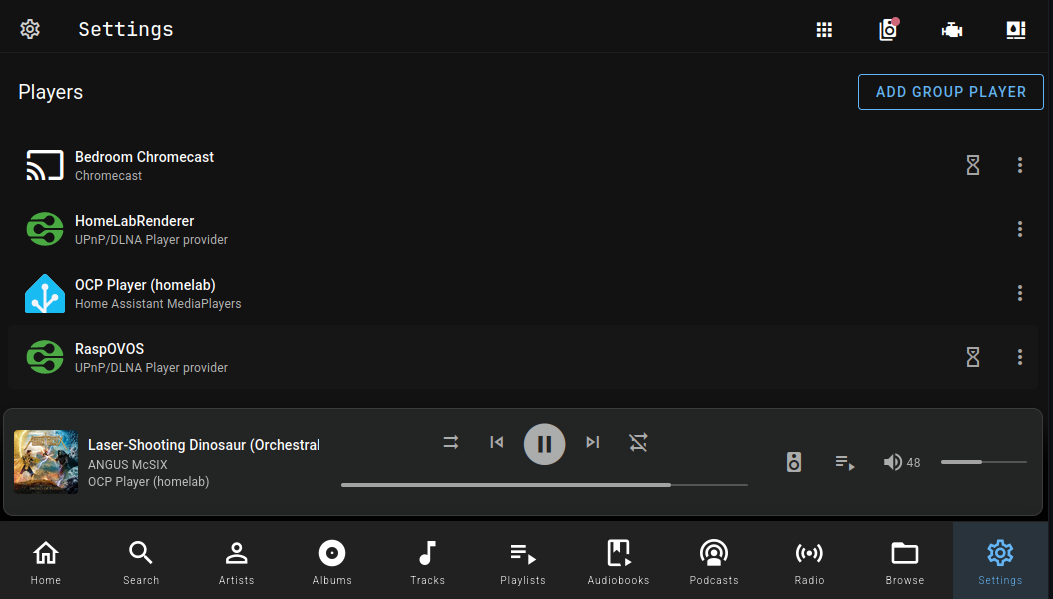
OVOS devices also show up as standard media players in Home Assistant, so you can control playback from the normal media-player interface. The same integration extends to Music Assistant: stream music through your OVOS devices and they become part of your whole-home audio system.
Controlling Home Assistant Entities from OVOS
The community-maintained skill-homeassistant gives OVOS direct control over Home Assistant entities via the HA REST API. Install it on your OVOS device and you can say “turn on the living room lights” or “set the thermostat to 21 degrees”, fully local, with no cloud involved.
What’s Rough
The Wyoming bridges and HiveMind integration are the most mature pieces here. The persona-server-as-conversational-agent path is newer; try it first if you want to see the ceiling of what OVOS + HA can do together. Bug reports and PRs are welcome across the repos linked above.
OpenVoiceOS is a community project. If you believe voice assistants should be open, inclusive, and user-controlled, support the project with funding, open data, or translations.